Design with AI.
Render with an API.
Scale without limits.
Describe a template in plain English or upload a screenshot — AI builds it for you. Then render personalized images and PDFs at any scale via REST API or embeddable GET URLs. Smart Cover keeps faces in frame. Rich text gives you per-character typographic control.
Three ways AI accelerates your workflow
Whether you start from a text prompt, an existing design, or a photo — AI handles the heavy lifting so you can ship faster.
Text to Template
Describe what you need in plain English and AI builds a production-ready template — layers, positions, fonts, and API bindings included.
Three ways AI accelerates your workflow
From natural language prompts to image analysis and intelligent cropping — AI handles the heavy lifting so you can focus on shipping.
Describe It, Build It
Natural Language to Template
Tell the AI what you need in plain English — "Create a social card with a headline, logo, and gradient background" — and get an editable, API-ready template in seconds. Refine with follow-up prompts or jump into the visual editor.
Upload It, Edit It
AI Vision Import
Upload a screenshot, mockup, or PDF and AI analyzes the layout — detecting text, images, positions, and relationships — to auto-generate an editable template. Go from design file to API-renderable template instantly.
Smart Cover
AI Focal Point Detection
AI detects faces and key subjects in your images, then automatically positions them at designer-specified anchor points. Subjects are never cropped out by overlapping text or graphics — no manual adjustment needed.
See what you can generate
Design a template once, then render thousands of personalized variations. Every output is pixel-perfect and brand-consistent.

Social Cards
OG images, event announcements, and branded social posts with dynamic text, avatars, and CTAs.
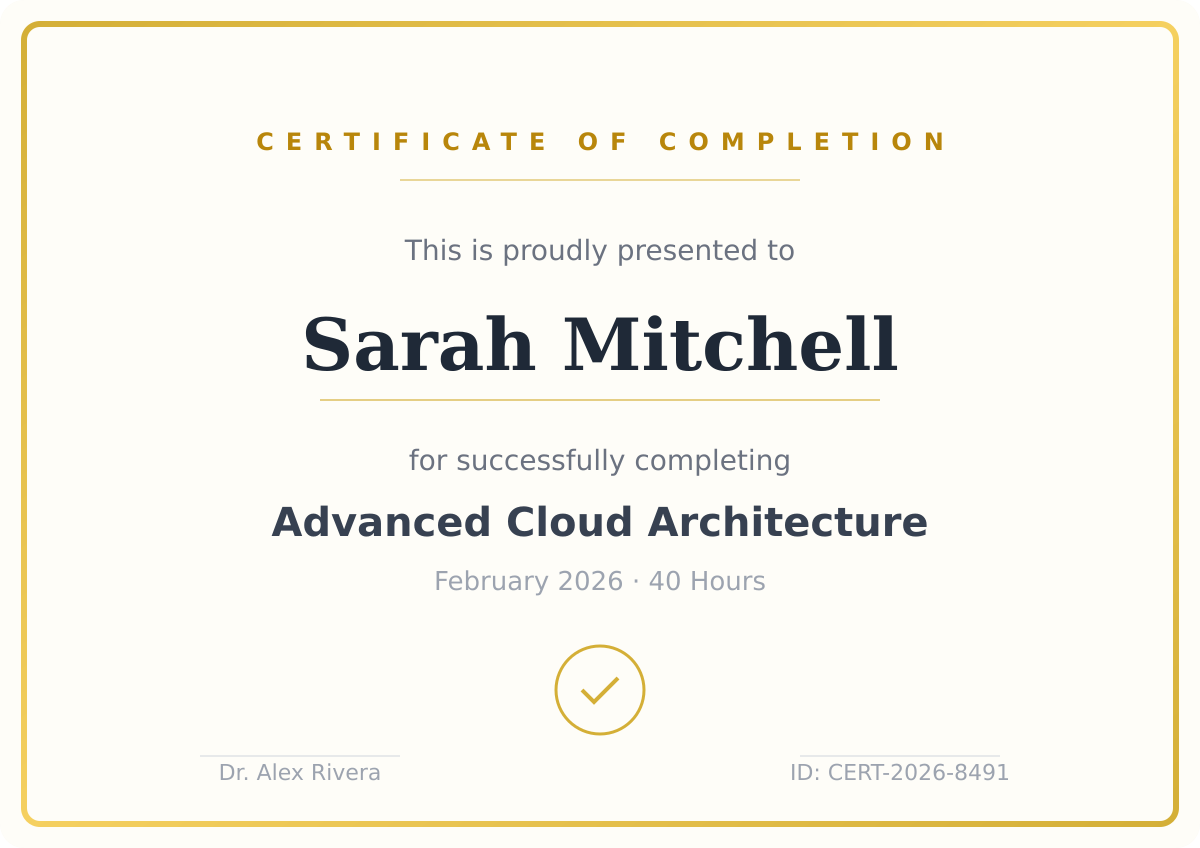
Certificates
Completion awards, achievement badges, and diplomas with dynamic recipient names and dates.
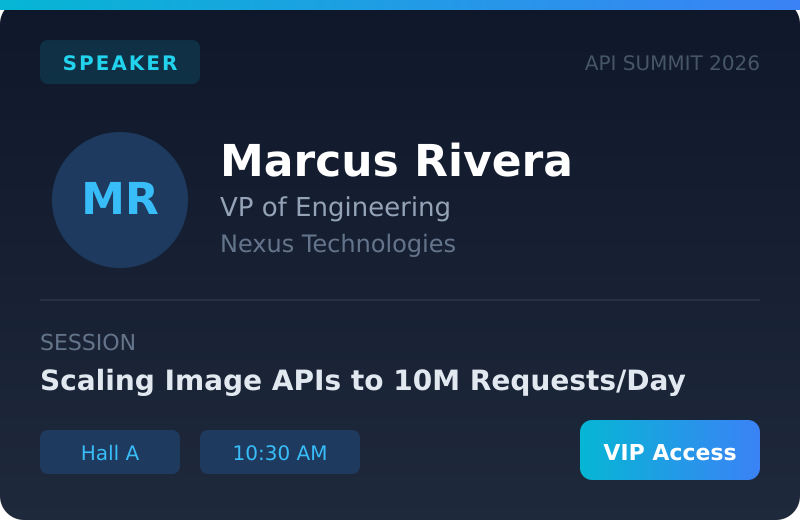
Event Badges
Personalized conference badges and name cards with QR codes, roles, and company branding.
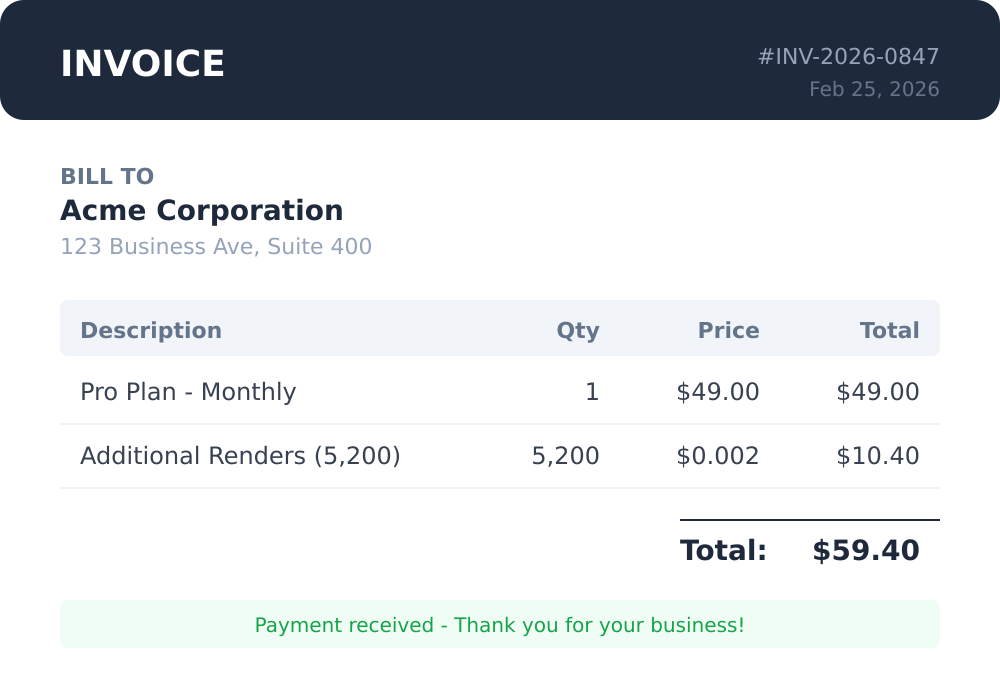
Invoices & PDFs
Multi-page invoices, reports, and statements rendered as pixel-perfect PDF documents.
Why developers choose RenderStack
Generating polished, brand-consistent images and PDFs programmatically is hard. RenderStack gives you a visual editor to design pixel-perfect templates, and a simple API to render them with dynamic data at any scale.
Design Visually, Render via API
Pixel-perfect image and PDF layouts need a visual editor, not code. Design templates with precise control over typography, spacing, and branding — then render them as PNG, JPEG, or multi-page PDF via API.
AI Template Creation
Upload any image or PDF and AI analyzes the layout to auto-generate an editable template — detecting text, images, positions, and relationships. Go from screenshot to working template in seconds, then refine visually.
Embeddable Dynamic URLs
Generate images via GET request with query parameters and embed them directly in HTML img tags. Dot-notation overrides, built-in caching, rate limiting, and allowed host controls — all out of the box.
Works with Any Stack
A standard REST API that any language, framework, or tool can call. Pass dynamic data as JSON overrides and get back PNG, JPEG, or PDF — no browser or canvas runtime required.
Images, PDFs & More
Generate social cards, product images, certificates, invoices, multi-page PDF reports, and more. Design the template once, then render personalized versions on demand in any format.
Rich Text Formatting
Style individual words and characters differently within a single text frame — bold, italic, colors, highlights, superscripts, mixed fonts — all controlled through the API. One text field, unlimited typographic control.
Explore Rich Text FeaturesDeterministic Output
Your curated template is the source of truth. The output is pixel-perfect, consistent, and brand-safe — every single time. No surprises, no layout drift.
Core rendering engine
From visual design to API-driven rendering, RenderStack handles the entire image generation pipeline.
Visual Template Editor
Drag-and-drop canvas editor with text, images, shapes, SVGs, and QR codes. Define dynamic layers with API names for programmatic control.
REST API Rendering
Generate images programmatically via sync or async endpoints. Override any layer with custom data per render. Supports PNG, JPEG, and PDF output.
Auto-Layout Containers
Flexbox-powered containers that automatically reflow content when elements hide or change size. No more manual layout fixes.
Fallback Chains
Declare ordered fallback strategies for missing data — API data, initials, defaults, or hide — all without any client-side logic.
Repeater Elements
Render 1 to N items from a single template. Speakers, products, team members — one template handles any count dynamically.
Non-Blocking Renders
Broken image URLs produce warnings, not errors. Renders continue gracefully with fallback behavior and automatic recovery.
Smart Cover
AI-powered image positioning that detects faces and key subjects, then aligns them to your chosen focal point — so subjects are never cropped out by overlapping content.
Conditional Visibility
Show or hide any layer based on incoming data. Build one template that adapts to different contexts — no duplicates needed.
Dynamic QR Codes
Generate QR codes on the fly as part of your render. Pass any URL or text value via the API and the code is embedded directly in the output image.
Linked Font Sizes
Keep auto-sized text consistent across frames. Group frames to one uniform size and size frames relative to another — ideal for multi-speaker event cards where names stay matched and titles stay proportional, no matter how long the text.
How it works
Two paths to the same powerful API — choose yours
AI-Powered Path
Describe or Upload
Use natural language or upload an image. AI generates your template with proper layers, pinning, and dynamic fields.
Refine & Configure
Edit visually, set dynamic fields, add visibility rules and logic. Refine conversationally — "make the headline bigger", "add a logo top-right".
Render via API
POST or GET. PNG, JPEG, or PDF at any scale. Same powerful API endpoint.
Manual Path
Design Visually
Drag-and-drop editor with full creative control. Add text, images, shapes, SVGs, and QR codes. Mark layers as dynamic.
Configure Logic
Set visibility rules, fallback chains, auto-layout containers, and repeater elements. Define what happens when data is missing.
Render via API
Same powerful API endpoint. POST or GET. PNG, JPEG, or PDF at any scale.
Both paths converge at the same production-grade rendering API — choose AI speed or manual precision.
Interactive live demos
Experience the rendering engine firsthand. No signup required — just pick a demo, customize the inputs, and see real output instantly.
Social Card Generator
Generate branded OG images and social cards with dynamic headlines, avatars, and color schemes.
Event Badge Generator
Create personalized event badges with attendee names, roles, QR codes, and custom styling.
Product Card Generator
Build e-commerce product cards with dynamic pricing, ratings, badges, and product imagery.
Report Cover Generator
Design professional report covers with dynamic titles, subtitles, dates, and branding elements.
Two ways to render
Use the REST API for server-side rendering, or embed dynamic image URLs directly in your HTML.
POST API
Sync & async rendering
- Sync and async render endpoints
- PNG, JPEG, and PDF output
- Optional AWS S3 auto-upload
GET Dynamic URLs
Embed in img tags
- Dot-notation layer overrides
- Built-in caching & rate limiting
- Allowed hosts access control
Complete platform features
Everything you need to manage templates, monitor usage, and integrate with your stack — all in one place.
Dynamic Image URLs
Generate images via GET request with query parameters — embed directly in HTML img tags. Includes caching, rate limiting, and allowed host controls.
URL Builder
Interactive tool to construct and test dynamic image URLs. Pick a template, enter overrides, and preview the result — all without writing code.
Asset Management
Upload and organize images and custom fonts. Use them across any template with a searchable asset library and instant preview.
API Key Management
Create keys with different permission levels — master, project, read-only, and GET. Revoke or delete keys with full audit trail.
AI Assistant
Built-in conversational AI that understands your templates, renders, assets, and settings. Ask questions and get answers with source citations.
AI Template Creation
Upload an image or PDF and AI analyzes it to auto-generate an editable template — detecting elements, positions, and relationships automatically. Ideal for vibe coders who want to go from mockup to API-renderable template instantly.
Activity Log
Filterable, searchable log of every platform event — renders, API key actions, template changes, and security events. 90-day retention.
Analytics Dashboard
At-a-glance overview of total templates, renders, success rates, and average render duration with recent activity feed.
AWS S3 Integration
Auto-upload rendered images to your own S3 bucket. Configure credentials once, toggle per render. Non-blocking — renders succeed even if upload fails.
Custom Fonts
Upload TTF, OTF, WOFF, or WOFF2 fonts and use them in both the visual editor and server-side rendering. Full typographic control over your templates.
Help Center
Comprehensive documentation covering every feature — templates, rendering, API keys, dynamic URLs, activity logs, and more.
Rendering Defaults
Configure default output format, JPEG quality, and pixel density. Apply globally or override per render request.
Smart Cover
AI-powered focal point detection that intelligently crops and positions images around their primary subjects. Place subjects at designer-specified anchor points — no manual cropping needed.
Webhooks
Receive real-time HTTP callbacks when renders complete, templates are updated, or errors occur. Configure per-event URLs with automatic retries and delivery logs.
Template Versioning
Every template save creates a version snapshot. Compare changes, roll back to any previous version, or pin a specific version for production API calls.
Batch Rendering
Render hundreds of images in a single API call by passing an array of override sets. Ideal for certificates, personalized cards, or product listings at scale.
Template capabilities
Every element type and layout feature available in the visual editor and rendering engine.
Security & reliability
Built with production workloads in mind. Every layer of the platform is designed for safety and stability.
Scoped API keys
Four permission levels — master, project, read-only, and GET — so you only expose the access each integration needs.
Allowed hosts
Restrict GET dynamic URL access to specific domains, wildcard subdomains, IPs, or CIDR ranges. Fail-closed by default.
Rate limiting
In-memory sliding window rate limiter — 60 req/min per key, 30 req/min per IP. Cache hits count at reduced weight.
Encrypted credentials
AWS S3 credentials encrypted with AES-256-GCM before database storage. Keys never stored in plaintext.
Non-blocking errors
Broken assets produce warnings, not failures. Renders complete with fallback behavior and detailed error reporting.
Full audit trail
Every action — renders, key changes, template edits, auth events — is logged in the activity log with 90-day retention.
See How Teams Use RenderStack
From automated OG images to personalized certificates, discover how teams automate visual content at scale.
Generate Open Graph Images via API
Automatically generate unique Open Graph images for every page with RenderStack's API. Design once, render unlimited social cards with dynamic text, images, and branding.
Automate Certificate & Award Image Generation
Generate personalized certificates, diplomas, and award images at scale with RenderStack's API. Design once, render for every recipient automatically.
Product Image Generation for E-Commerce
Generate consistent, on-brand product images at scale for your e-commerce catalog. Automate product cards, promotional banners, and listing images via API.
Social Media Image Automation at Scale
Automate social media image creation at scale. Generate branded posts, stories, and ads for every platform from a single template via API.
Image Generation Without Writing Code
Generate dynamic images without writing code. Use RenderStack's visual URL Builder to create embeddable image URLs for Webflow, WordPress, email templates, and more.
Personalized Email Banner Images
Generate unique email banner and header images for every recipient. Personalize visuals with names, offers, and dynamic content using RenderStack's API or embeddable GET URLs.
Solve real problems, not just render images
Outcome-driven approaches to the challenges teams face when scaling visual content.
Eliminate Manual Image Creation Forever
Stop creating images manually. RenderStack automates image generation with reusable templates and a REST API. Design once, render unlimited variations programmatically.
Ship Image Features 10x Faster
Add image generation to your product in hours, not weeks. RenderStack provides a complete rendering API so you ship image features without building infrastructure.
Replace Headless Browser Rendering
Stop using Puppeteer and headless Chrome for image generation. RenderStack's server-side rendering engine is faster, more reliable, and requires zero DevOps.
Free developer tools
Helpful utilities for image generation workflows — completely free, no account needed.
OG Image Preview
Paste any URL to see how its Open Graph image renders across Twitter, Facebook, LinkedIn, Discord, and Slack. Instant meta tag analysis with actionable warnings.
API Request Builder
Visually construct render API requests. Select a template, configure layer overrides, and generate ready-to-use curl commands and GET URLs.
Image Size Guide
Interactive reference for image dimensions across social media, ads, email headers, print, and web. Always know the right size.
Real-world implementation guides
Step-by-step walkthroughs of production pipelines. Architecture, configuration, and code — all included.
Dynamic OG & Social Card Pipeline
See how to build a dynamic OG image and social card pipeline with RenderStack. GET URLs, dynamic text, and auto-layout for per-page social previews.
E-Commerce Product Card Automation
Automate product card image generation for your e-commerce catalog. See how repeater elements, conditional visibility, and image swapping work together.
Certificate & Achievement Badge System
Build an automated certificate and achievement badge system with RenderStack. QR codes, custom fonts, and batch rendering for EdTech and HR platforms.
Find Your Path
Curated guides, tools, and examples — tailored to how you work.
For Developers
API guides, quick-start recipes, and code examples to ship image features fast.
For Marketers
No-code workflows, email personalization, and social media automation guides.
For Platform Teams
Multi-tenant architecture, RBAC, webhooks, and infrastructure documentation.
Common questions about RenderStack
Everything developers, designers, and no-code builders need to know about API-driven image and PDF generation.